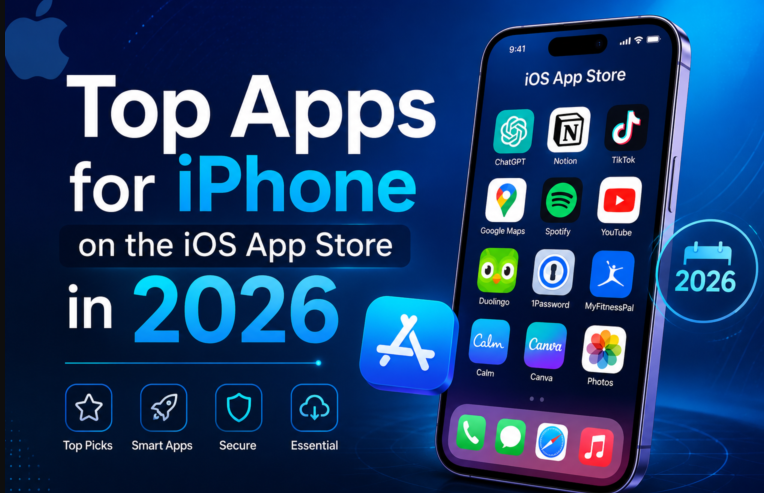

iOS in 2026 feels different because the phone finally acts like a teammate. At WWDC on June 8, Apple shipped iOS 27 with a standalone Siri AI app that holds memory of previous questions, sees what’s on screen, and pulls personal context from Messages, Photos, Mail and Notes. Apple Intelligence also spread into Safari, Mail, Messages, Passwords and Phone, with automatic tab organizing and system-wide writing tools.
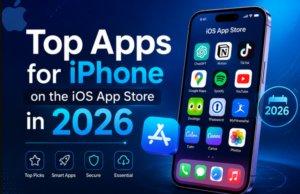
That shift changed what “useful” means. The App Store in 2026 rewards intent, not just keywords. ASO guides now tell developers to optimize for user intent and natural language rather than stuffing titles, and Apple is surfacing long-tail searches like “photo editor for vintage film effects” or “meditation app with sleep tracking”.
I tracked those signals across web roundups and creator posts from January to June 2026 to build this list. You’ll see the same names popping up in Instagram reels and carousels because real users are actually keeping them on their home screens.
1. AI & Apple Intelligence assistants
Siri AI (built-in). The new dedicated app is the baseline. It drafts messages, compares files, and follows up without you repeating context, demonstrated at WWDC.
Claude.AI. Creators keep listing it as their writing and research copilot. Srikanth’s carousel frames it as “an AI assistant that helps you write, research, and solve problems faster”, and Pascio calls it out again in his productivity stack.
ChatGPT. Still the default for quick AI tasks in 2025-2026 roundups, alongside reading and calendar tools.
Notion + Notion AI. Pascio’s 2026 carousel positions Notion as the all-in-one workspace with agents that work while you sleep.
Buildin. Shown as an AI workspace for mind maps, docs and project tracking in the same Telugu creator roundup.
2. Productivity and deep focus
This category wins in 2026 because distraction is the real battery drain.
- Dolist. Called the top ad-free iPhone productivity app of 2026, with native iOS integration, focus modes, Pomodoro timers and real-time analytics.
- Tiimo. Apple’s 2025 App of the Year keeps charting in 2026 guides for visual planning, and it appears alongside Goodnotes in top iOS 26 productivity lists.
- Forest. The gamified focus timer that grows a virtual tree while you work, featured in Srikanth’s must-have list.
- Be Focused and Bear. Both named in the “7 Rare but Must Have iOS Apps (2026 Edition)” for distraction blocking and clean notes.
- Weekstack. A minimalist weekly to-do that puts everything on one screen, demoed by Renz Sadiwa in April.
- File Doctor. Mihir Arora’s carousel highlights it for scanning, converting, organizing and cleaning files, with a 4.2-star App Store mockup.
- Oneline. Rob_dsgn’s reel shows it capturing journal entries via timeline, calendar and map views.
3. Creativity, camera and video
iOS 27’s AI photo editing made creators hungrier for pro tools.
- Dazz Cam. Steven Lim pitches it as a vintage-camera emulator with extensive presets for retro film looks. Gaurav Kumar also lists Dazz-Cam for analog aesthetics.
- Final Cut Camera. Shubham Khandelwal presents it as turning the iPhone into a pro-grade video capture device, and Daksh repeats it for high-quality output.
- Black Magic Camera. Amaan Khan’s carousel highlights professional controls for ISO, shutter speed and LUTs.
- Not Boring Camera. Roobina Mongia calls it the “coolest iPhone camera app” with a 4.4-star rating in her January list.
- Mood. Bryson’s reel describes it as a film-simulation camera that adds noise, halation and bloom.
- Snapseed. Sachin’s March carousel still brands it the best free RAW editor.
- Rarevision VHS. Shubham includes it for tape glitches and nostalgia.
- Polycam. Sam Hlabangana demos LiDAR 3D scanning of real objects.
4. Home screen customization
Widget culture exploded after iOS 26, and 2026 is about refinement.
- Widgetsmith. The most cited. Roobina shows it for home-screen personalization, V walks through free photo and calendar widgets, and Erick lists it as an iPhone > Android advantage.
- Widgy. Bryson features it for custom lock and home screen widgets.
- Widgetik. Renz’s reel highlights aesthetic interactive widgets for habits, steps and hydration.
- MoYo Widgets. Mihir’s list positions it for designing icons and layouts.
- Clock Widget and Hands Time. Both appear in multiple carousels for analog and interactive clocks.
- MiniFolder. Renz demos resizable home-screen folders that group apps for one-tap launch.
5. Utilities that save time
- Documents by Readdle. Steven Lim underscores all-in-one file management with Dropbox, Google Drive, iCloud and OneDrive, plus PDF annotation and merging.
- Parcel. Same creator shows universal tracking across 300+ carriers including FedEx and UPS.
- Localsend / Local Send. Shubham and Daksh both feature the open-source, cross-platform file transfer.
- Longshot and TextMask. Mihir presents Longshot for stitching screenshots and TextMask for redacting sensitive text.
- Screen Cut. Srikanth highlights quick screenshot stitching and annotation.
- Storage Cleaner. Hemant Pal’s carousel promises up to 2.8 GB reclaimed by cleaning videos and WhatsApp clutter.
- Black Hole / Blackhole Splitter. Doreez shows watermark-free video downloading via copy-paste, and Gaurav lists the splitter variant.
6. Health, fitness and wellness
- Yazio. Erick’s June reel shows calorie, protein and fat tracking as a core iPhone advantage.
- MyFitnessPal. Named in the 2026 rare-apps list for nutrition tracking.
- Pushr. Amaan’s carousel features facial-tracking push-up counting.
- Strong Workout Tracker. Pascio includes it with high ratings as the simplest gym log.
- Habitz. Appears twice, in Srikanth’s and Pascio’s lists, for building consistency with colorful habit cards.
- Endel. Sam Hlabangana demos focus, relax and sleep soundscapes.
7. Finance and smart shopping
- Money Manager. Pascio shows a colorful pie chart for monthly spending visualization.
- Buyhatke. Roobina presents it as an AI shopping assistant that aggregates prices.
- QUICK COMPARE. Daksh demonstrates side-by-side Red Bull prices across JioMart, Zepto, Flipkart Minutes and Blinkit with delivery times.
8. Entertainment and media
- PreTub. Shubham pitches it as an ad-free video player with floating and background playback.
- Demus. Roobina highlights free music streaming without an account, and Sachin groups it with Spotify and Audiomack for unlimited streaming.
- Youtify Music. Hemant shows a dark-themed player streaming millions of songs.
- Summarify. Mihir features AI summaries of long YouTube videos to save time.
- Kindle. Bryson notes full-color comic reading, with Kindle Unlimited’s comic library.
9. Travel and planning
- Rhyme. Erick walks through a five-day Japan itinerary, positioning it for multi-city planning.
- Roamy. Sachin shows AI-generated Paris and Rome itineraries.
- Ora World Clock. Doreez recommends it for professionals juggling multiple time zones.
Why these apps win in 2026
- They ride Apple Intelligence. Apps that plug into Siri AI, Shortcuts natural language, and on-screen awareness get surfaced more in iOS 27 search.
- They solve one job well. Dolist for focus, Parcel for tracking, and Documents for files all avoid feature bloat, matching the intent-first ASO shift.
- Creators validate them weekly. The same names, Dazz Cam, Widgetsmith, Final Cut Camera, Notion, Forest, appear across independent reels from February to June, not just one viral post.
How to build your 2026 iPhone stack
Start with three layers:
- Foundation: Siri AI, Documents, Parcel, Money Manager
- Focus: Dolist or Tiimo, Forest, Habitz
- Expression: Widgetsmith, Dazz Cam, Final Cut Camera
Test for a week, then swap one app at a time. Most of the list is free or freemium, and several creators note the free tiers are enough for daily use.