
Facebook is one of the world’s largest platforms for video content — from music performances and motivational speeches to cooking tutorials and viral comedy clips. But what happens when you want to save just the audio from a Facebook video? Maybe it’s a song you can’t find on Spotify, a podcast-style talk, or a motivational clip you want to listen to on your commute.
The good news: you don’t need any software, a paid subscription, or technical knowledge. In this guide, you’ll learn exactly how to convert a Facebook video to MP3 — quickly, for free, and directly from your browser.
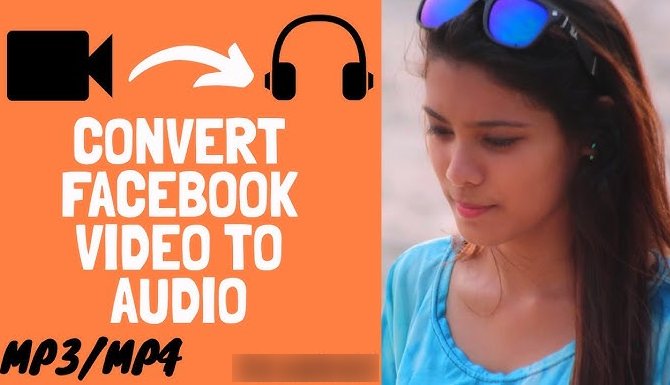
Why Would You Want to Convert a Facebook Video to MP3?
There are plenty of everyday reasons people look for a Facebook to MP3 converter:
- Save background music from a video you love
- Extract audio from a live session or webinar for offline listening
- Keep a motivational speech or lecture as an audio file on your phone
- Download a song cover or original track shared by an artist
- Save audio from Facebook Reels or Watch videos before they get deleted
Whatever the reason, having the audio file as an MP3 gives you full flexibility — you can listen offline, transfer it to any device, or import it into an audio editing app.
What You Need Before You Start
Converting a Facebook video to MP3 requires very little:
- The URL of the Facebook video you want to convert
- A browser (Chrome, Safari, Firefox — any works)
- That’s it — no account, no app installation
Note: This works for public Facebook videos. Private videos or content restricted by Facebook’s settings cannot be accessed by third-party tools.
Step-by-Step: How to Convert Facebook Video to MP3
Step 1 — Copy the Facebook Video Link
Open Facebook and go to the video you want to convert. On the video post:
- On mobile: Tap the three-dot menu (⋮) in the top-right corner of the post and select “Copy link”
- On desktop: Click the three-dot menu on the post and choose “Copy link”, or copy the URL directly from your browser’s address bar
Your link will look something like: https://www.facebook.com/watch/?v=1234567890
Step 2 — Paste the Link Into the Converter
Go to the Facebook Video to MP3 Converter on ReelSaveApp. Paste your copied link into the input box and click the Download button.
The tool will process the video and extract the audio automatically.
Step 3 — Download Your MP3 File
Within seconds, your MP3 file will be ready. Tap or click the download button to save it directly to your device — phone, tablet, or computer.
That’s all there is to it. No email signup, no waiting queue, no watermark on the file.
Tips for Getting the Best Audio Quality
- Use the original Facebook video URL — avoid links copied from shares or story reposts, as these can sometimes resolve differently
- Check the source video quality — MP3 audio quality is limited by the quality of the original video upload. A crisp HD upload will produce cleaner audio than a heavily compressed one
- Works for Facebook Reels and Watch videos too — not just regular posts
Is It Legal to Convert Facebook Videos to MP3?
This is a fair question. The short answer: it depends on how you use the audio.
Converting a Facebook video to MP3 for personal, offline use is generally considered acceptable in most countries under fair use principles. However, redistributing, uploading, or monetizing audio that belongs to someone else — especially copyrighted music — is a different matter entirely.
Always respect the original creator’s work. If the audio contains copyrighted music, use it for personal listening only.
Works on All Devices — No App Required
One of the biggest advantages of using an online converter is that it works on every platform:
| Device | Supported? |
|---|---|
| Android | ✅ Yes |
| iPhone / iPad | ✅ Yes |
| Windows PC | ✅ Yes |
| Mac | ✅ Yes |
| Linux | ✅ Yes |
No app download, no storage wasted, no permissions required. Just open your browser and go.
Explore More Audio & Download Tools on ReelSaveApp
If you regularly save audio and video from social media, ReelSaveApp has several free tools worth bookmarking:
- Facebook to MP3 Converter — Convert any Facebook video to MP3 in seconds, directly from your browser
- Instagram Audio Downloader — Extract and download audio from Instagram Reels as MP3 or M4A, in high quality
- Instagram Story Saver — Download public Instagram Stories before they disappear, without login or watermark
All tools are free, require no registration, and work on both mobile and desktop.
Frequently Asked Questions
Can I convert a Facebook video to MP3 without an app?
Yes. ReelSaveApp’s Facebook to MP3 tool works entirely in your browser. No download or installation needed.
Does it work on iPhone?
Yes. The tool is fully compatible with Safari on iOS. After conversion, you can save the MP3 file directly to your Files app or share it to another app.
Is there a file size or length limit?
For most standard Facebook videos and Reels, there is no limit. Very long videos (e.g., multi-hour live streams) may take a few extra seconds to process.
Is my data safe?
ReelSaveApp does not store your links, videos, or downloaded files. All processing is done in real time, and nothing is retained on the server after your session.
Can I download audio from Facebook Reels?
Yes — the Facebook to MP3 converter supports Facebook Reels, Watch videos, and regular post videos.
What audio format will I get?
The file is delivered as an MP3, which is universally compatible with all devices and media players.
Final Thoughts
Converting a Facebook video to MP3 doesn’t have to be complicated. With the right free tool, it takes less than 30 seconds from start to finish — no account, no app, no hassle.
Whether you’re saving a song, a motivational talk, or a cooking tutorial to listen to later, ReelSaveApp’s Facebook to MP3 converter gets the job done cleanly and quickly.
And if you also want to save audio from Instagram or download Stories before they expire, check out the Instagram Audio Downloader and Instagram Story Saver — both free, both instant.