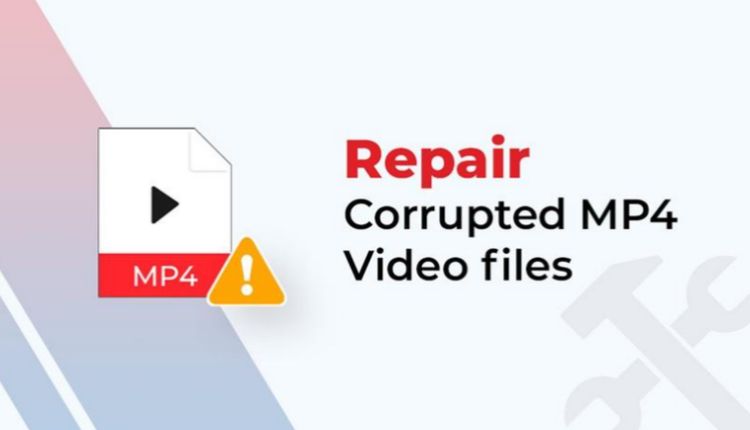

Ever wondered what you’d do if your important MP4 video file suddenly got corrupted or became unplayable? Whether your video shows an error due to an interrupted recording, sudden device shutdown, incomplete file transfer, or damaged storage device, there’s always a chance to repair it. Fortunately, several browser-based tools can analyze and repair mp4 videos without installing any additional software.
In this guide, we’ll explore the 5 best tools that you can trust to repair your damaged or corrupted MP4 video files with ease. Let’s get started!
Why Do MP4 Videos Get Corrupted?
Understanding the exact reason for your MP4 video corruption can help you determine the proper repair workaround. MP4 is a container format that can store video, audio, subtitles, metadata, and other information. If any of this info gets corrupted, you may encounter challenges while playing videos.
Some common reasons for video corruption include:
- Sudden camera or smartphone shutdown during recording
- Removing an SD card while a video is being written
- Interrupted file transfers
- Corrupted memory cards or external storage
- Incomplete downloads
- Operating-system crashes
- Video-editor crashes during export
- Improperly recovered deleted videos
- Recording devices running out of storage
- File-system errors
Irrespective of the aforementioned causes of your corrupt MP4 video file, there are several video repair workarounds available online that you can try to repair it. Let’s discuss in detail.
5 Best MP4 Repair Tools You Can Try
Go with any of the below video repair tools to fix your corrupt or damaged MP4 video files. Before you choose any specific program, it’s important to check the features of these tools properly and then choose the one that best fits your requirements.
01: Stellar Online Video Repair
Let’s start with the most user-friendly solution available in today’s digital world. If your video is severely corrupt and you want to repair it without any third-party software installation, go with Stellar Online Video Repair. This online video repair service can help you fix damaged or corrupt video files of several file formats, including MP4, MOV, M4V, 3GP, and many more. The online service specialises in repairing videos from digital cameras, drones, and smartphones, where the recording was interrupted.
The Preview functionality of this online video repair service can help you to preview the repaired files before saving them on your device. Moreover, the repair process to fix damaged video files using this online solution is quite simple. You need to visit the official website, upload your damaged video, and wait till the repair process is complete.
Key Features of Stellar Online Video Repair:
- Repairs corrupt, damaged, or unplayable MP4 videos directly through a convenient web-based interface.
- Allows users to preview repaired video files before downloading the recovered results.
- Helps fix common issues such as black screens, video freezing, and playback errors.
- Works without requiring desktop software installation, making video repair accessible through standard browsers.
- Provides a simple upload, repair, preview, and download process for quick recovery.
Best For: Users who need a simple solution to repair damaged video files directly from a web browser, with no software installation required.
02: Wondershare Repairit Online
The next popular browser-based video repair solution that you can try to repair corrupt MP4 video files is Wondershare Repairit Online. This program can help you fix MP4 video files that refuse to play, freeze during playback, display a black screen, or develop other playback problems. The repair process is relatively simple and quick. Just upload your corrupted video, wait till the program analyses the damaged video, and preview the repaired file. If the repaired video meets your requirements, save it to your device.
Key Features:
- Repairs corrupted, damaged, and unplayable videos directly through an online browser-based platform.
- Supports MP4 and several other commonly used video file formats for repair.
- Provides a straightforward upload, repair, preview, and download workflow for users.
- Helps address playback problems including freezing, black screens, and corrupted video frames.
- Eliminates the need to install desktop software before attempting basic video repairs.
- Allows you to preview repair results before saving the recovered video file.
03: Tenorshare 4DDiG Video Repair
Tenorshare 4DDiG Video Repair is another popular online video repair tool designed to fix corrupted, damaged, or unplayable video files. It can help you fix MP4 videos that fail to open, show playback interruptions, or suffer from black screens, distorted frames, missing audio, or freezing. You can use this tool to repair video files of several popular formats such as MP4, MOV, AVI, MKV, and others.
For severely corrupted MP4 files, Tenorshare also offers desktop-based repair capabilities that can provide a more extensive repair workflow.
Key Features:
- Repairs corrupted, damaged, and unplayable videos affected by common playback and file corruption problems.
- Supports popular video formats, including MP4, MOV, AVI, MKV, and other commonly used formats.
- Helps resolve issues including black screens, frozen playback, distorted frames, and missing or damaged video content.
- Allows you to preview repaired footage before saving the recovered video to your device.
04: Restore.Media
Restore.Media is an online video repair service designed to fix corrupted, damaged, or unplayable media files. It can help you fix corrupt video files in several file formats, including MP4, MOV, M4V, 3GP, MXF, and others. Whether your video is captured using cameras, smartphones, drones, or any professional recording equipment, this online solution can help you in every case. One of Restore.Media’s notable capabilities include its support for large video files, making it suitable for lengthy or high-resolution camera recordings.
Key Features:
- Repairs corrupted and unplayable MP4 videos affected by damaged metadata, indexes, or file structures.
- Supports large video files, making it suitable for lengthy high-resolution recordings from professional cameras.
- Uses camera-specific repair approaches to improve recovery results for recordings from supported devices.
- Allows you to preview repaired video results before deciding whether to download the recovered footage.
- Supports reference files that can help reconstruct damaged recordings from compatible cameras and recording settings.
05: Untrunc GUI (Desktop)
Untrunc GUI is a desktop-based open-source video repair tool that can help you repair certain corrupted or incomplete MP4 and MOV video files. It can help you fix videos corrupted due to unexpected interruption, device error, or any other reasons. Unlike browser-based repair services, Untrunc GUI processes files locally on your computer. Untrunc generally works by using a healthy sample video captured with the same device and similar settings.
Key Features:
- Provides a graphical interface for Untrunc, making video repair easier without requiring extensive command-line knowledge.
- Repairs certain incomplete or corrupted MP4 and MOV files caused by interrupted recording sessions.
- Uses a healthy reference video to reconstruct missing metadata and structural information from damaged recordings.
- Processes videos locally, helping users avoid uploading private or sensitive footage to online repair services.
Conclusion
Repairing corrupt MP4 video can be a challenging task. In this quick guide, we’ve mentioned the top 5 video repair tools that you can try to fix corrupt or damaged MP4 videos with ease.
For ordinary MP4 playback problems, a straightforward upload-and-repair service may be enough. Larger camera recordings, truncated files, or device-specific corruption may require a service with camera-oriented recovery capabilities or support for reference footage. Most importantly, do not delete or overwrite the original corrupted MP4 while experimenting with repair tools. Keep a safe copy and evaluate the repaired file before replacing the original.